a Taj MuttHall Dog Diary: photo editing
Showing posts with label photo editing. Show all posts

Tuesday, May 14, 2019

The Heart Is Filled with Joy and Pain

SUMMARY: An unexpected painful result from a photo search.

I searched for "tika"/"box" in my photo catalog to find a favorite of her doing the Get In The Box trick; I adore this shot. Always makes me smile--she was so good at this and of course loved the rewards. Standing there while I took the shot was another thing entirely, but she did it. ("Give me treat, stop photo doing thing.")


And it popped up with this immediately next to it. Tika in a box forever. No treats can be given.


It has been over 4 years now; seems like just last month, I can remember it all, and this slammed it all into my mind and gut.

To mitigate the sad with the happy, I re-edited the Amazon box photo to be brighter and sharper and clearer than my original edit nine years back, and to bring all the glorious golden life-light back into her eyes.


Thursday, November 01, 2012

Holiday Calendar

SUMMARY: Hummingbird photo.

Back last spring, I posted about a hummingbird nest on my deck and showed some photos illustrating the difficulty of shooting the mom and the chicks.

I kept working at getting photos of the two chicks as they grew, and finally got one that I liked fairly well-- and it's a good thing, because they flew off the next day, never to be seen again.


Of course, it had all kinds of problems anyway--because of the difficulty of squeezing the camera up next to the roof and high enough to see the chicks, and because they're so tiny (the nest is only about 2 inches across), it wasn't even close to straight. Not as sharp as I'd have liked. A little dark. Etc.

Every year, my small company has a contest for employees and their families to pick the art that we'll include on the little fold-out calendars that we send to our clients before the holidays. Each employee can submit up to 3 images, photos or photos of their own art. We usually get 25-30 entries. Everyone votes for their first and second favorites, then votes again in a run-off if necessary. Then our super in-house artist graphics person incorporates it into a nice fold-out calendar.

Our 2010 calendar used my photo of a Monterey morning (actually Carmel, but close enough).


After your art/photo is used, you can't enter the following year, so I didn't for the 2011 calendar, then for 2012 none of mine were selected.

This year I again submitted three photos, including the hummingbird one. But I spent a ton of time on it first--straightened it a bit, cropped in closer to the birds, sharpened it a bit, adjusted the exposure, added some vignetting (darkened the bright corners to keep the attention on the subject), and spent some artful time artfully cloning out the hummingbird poo.


And, yes, hummingbird fledglings got the vote. Woohoo! Coming soon to a 2013 calendar near you--if you're one of our clients.

Happy 2013, a little early! Hmmmmmmmmmmmmm.

Now--notice anything odd about the scene?

Saturday, June 02, 2012

Downtown Photos Before and After

SUMMARY: What and why.
I couldn't restrain myself from editing these two photos before posting a bunch the other day.

Here's why, and what I did.

Before:
What I loved about this scene was the angled symmetry of the fire escape against the straight symmetry of the vertical lines of the rest of the building. (Plus the one open window.) 

1. Because I shot the photo looking up, the vertical lines converge towards the top (that's called perspective distortion--sometimes you want that effect to emphasize how tall something is, but in this case, I want to look straight on).
2. In addition, the lens I'm using sometimes curves lines near the edges--look at how the vertical lines on the left and the right actually seem to bow inward in the middle (I believe called pincushion distortion--if they curved outward in the middle, it would be barrel distortion).
3. Also, the colors were a little dull and the sky too light behind it, which emphasized the fire escape too much.


After:
 First, in the Raw editor, I adjusted the exposure, contrast, and I think saturation to make the colors more like what I wanted.
Then I used Photoshop Element's Correct Camera Distortion filter, first to make the vertical lines as vertical as I could with a quick edit, then to correct the bowing of the lines. It's not perfect, but much better.
Then cropped in just a bit to get rid of some of the sky on the left and the shadowy bits at the bottom of the building.


More I could do and probably will:

Hmmm, whole building is still too dark for my taste. Will have to think about how to lighten it without losing the contrast.  Also, The one open window is a nice variance from all the symmetry. But the awning at the lower left and the grate in the lower middle are just distractions--I should crop them out. Also not sure about the british flag;  I'm considering taking that out as well because I think it distracts from the tan/blue them in the rest of the picture.

Before:
Took a bunch of shots of this skater in the plaza of the city hall.  Most of them turned out badly, but I loved this one, how she seemed to be skating on the edge of the shadow.   Plus she was in focus [grin].
But there was a lot of other distracting stuff in the background. I loved the other horizontal lines to emphasize her direction of travel. And she was so small--obviously had to crop in.


After:
So that's what I did--first cropped out all the boring stuff--I debated cropping in even more so that the bottom of the photo was all in shadow, but then it looked more like she was skating on a wall, so I left space in front of the shadow to make it clearer that it's a shadow. I kept her off center so that she had space in the photo to skate into.
Then I used Elements' automatic fixer, "Auto Smart Fix," to see whether I liked the change in contrast, brightness, color, and everything else that it tweaks--and I did. So I left it.

That was it!


More I could do but not sure I will:

I tried switching to speed-priority (TV) on my camera to see whether I could get her in focus and the background a little blurred to show her motion, but the few I shot didn't turn out well and then she vanished. You can actually make that effect in PhotoShop/Elements. Not sure whether I want to, though--I kinda like this as is and I think the horizontal lines and the space on the left still give the feeling of movement.

Thursday, February 17, 2011

Almost Wordless Thursday

SUMMARY: Not quite Wordless Wednesday.
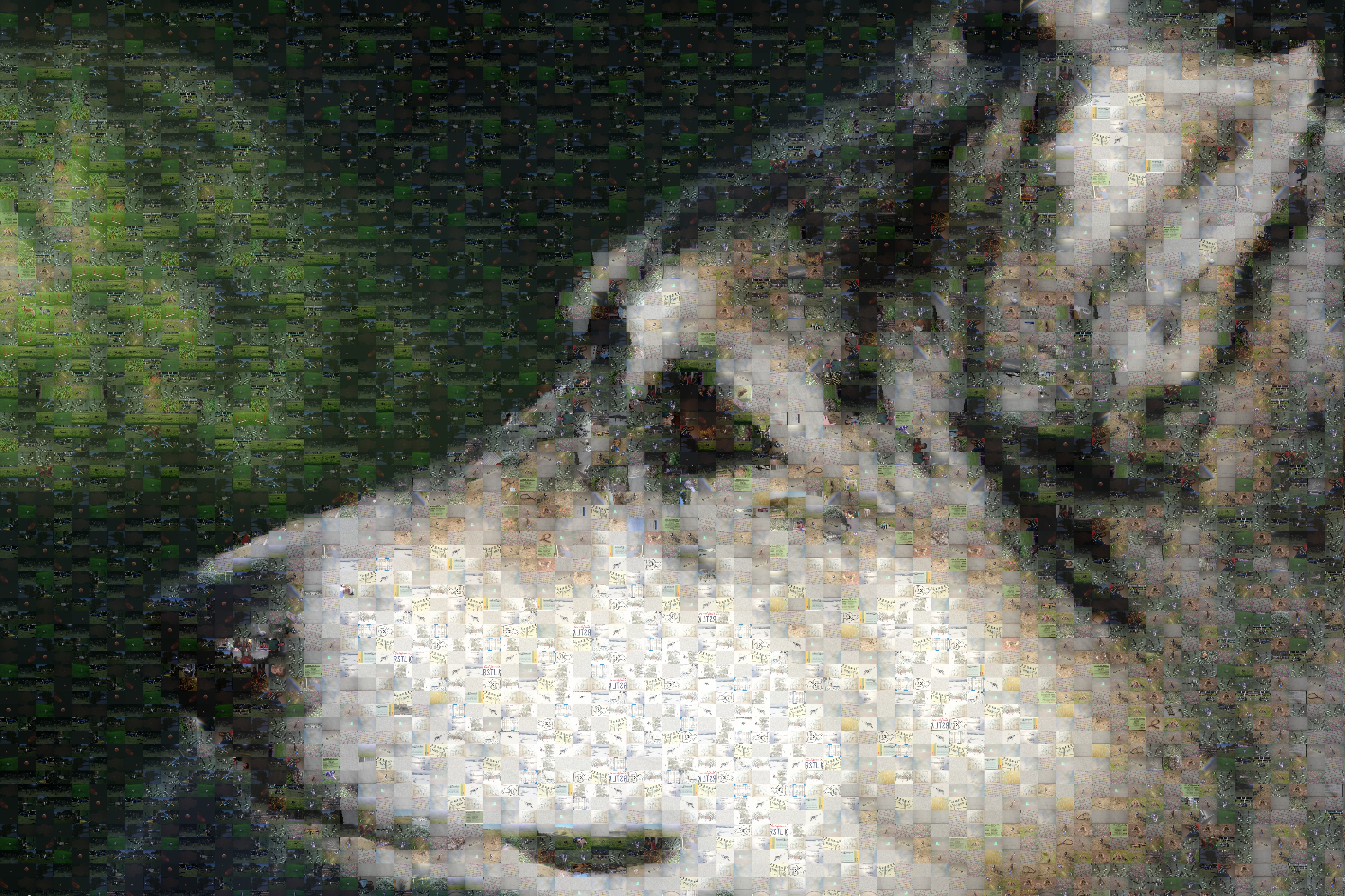
Inspired by Johann the Dog's Valentines Day photo mosaic, I downloaded the app they recommended, AndreaMosaic (versions available for windows & mac. Can be very slow to run. Must have patience).

Fed it the 6000-+ photos in one of my photos folders, then gave it a photo of Tika (this one that I used recently) to reconstruct as a mosaic using my photos.

Voila:

(I didn't attempt to weed out oddball ones, as you'll find when you notice that it used many copies of my photos of a curtain-rod bracket, a couple of cartoons, and a USDAA accumulator sheet to fill in the white and light gray areas. Someday I might build a different database of photos that are just dog-related and try building photos from that. I just suspect that the color scheme will be a bit limited--mostly gray, white, and green. :-) )

You can click it to see a larger version and some of the detailed photos within it, or download the full-sized version.


Monday, January 03, 2011

Here We Are! A Photographic Adventure

SUMMARY: Another challenging photo shoot--how we got to the final gorgeous photo.
I adjusted my SLR for what I thought would be the appropriate setting, handed the camera to my friend with pretty much no instructions, and tried to get Boost and Tika to sit cheerfully beside me. But could it be so simple? Nooooo!

Just as my friend started to snap the photo--That's when another hiker appeared in the distance with his own dogs, which greatly distracted mine. Plus the exposure setting I picked works best if the correct part of the image is in the focus area--first attempt, other dogs just sighted by the Merle Girls and I quickly grabbed Tika's collar. And it's a bit over-exposed:


Second attempt: I'm doing my part in looking at the camera, plus there are 2 people trying to get my dogs' attention. Boost was willing, but so was one of their border collies. Plus Tika still wants to take off--and now WAY over-exposed.


More explanation: Jan 17, 2011: Here's the thing: I had the camera on Program mode, but because most of my shots included large fields of snow, I had set the exposure compensation to plus 1 and 2/3 stops, so whatever f and time the Program mode picked, it would make it 1.67 stops slower. (Because by default it will try to make all that white into middle gray, and I want all that white to be white.) It was also overcast, so not bright light, but a lot of reflected light everywhere, from sky and snow. Rough conditions to try to get a good reading!

So the f & tv that the camera picked would depend on where its metering point was. I was using centered spot metering, which makes it more sensitive to the exact center of the image. I didn't think about that when I handed my friend the camera. So, naturally, she started with me and dogs in the very center, so we were pretty large as a percentage of the spot metering area, so really there shouldn't have been *any* exposure compensation because our colors are kind of midrange, and that compensation I set meant that, yeah, we were overexposed.

The ones were we *weren't* overexposed are the ones where we are off-center, so the spot metering was metering off of a mostly reflective white snowy area in the middle of the frame, so the exposure compensation worked the way I had intended. I just got lucky that she started aiming off-center (not even sure whether intentional or not, and I didn't think about it until after we were done).

So if I'd been shooting in manual, if I had spot metered at the center where it was mostly snow, I'd have picked, say, the f I wanted, adjusted the time so that the camera thought it was metered correctly, and then made it 2 stops slower to accommodate the bright white. If I had spot metered at where I and the merle girls were, I'd have set the f I wanted, adjusted so that the camera thought it was metered correctly, and then just used that.

Third attempt: Boost is still cooperating, but now *I'm" looking at the other dogs and hanging tight to both of my girls. Still badly overexposed.

Fourth attempt: Got me and Boost, although it's kind of obvious I'm hanging onto them both, and STILL overexposed--

Fifth attempt: Other dogs are out of range, I'm trying to get the dogs to just stay in place, but apparently the focus area is now on the right thing, because the exposure for the 3 of us isn't nearly so bad:

Sixth attempt: OMG, it's almost perfect! Everyone's looking at the camera! We're not terribly overexposed! (Just a little.) The background and snow are over-exposed still, but not completely burned out, and that's expected because the difference in reflected light is so large.

So now it's up to photoshop (Elements)! First, I let the Raw Editor pick what it thinks is the correct exposure and saved the following copy of the same file. The snow and background now come out clearly (thank goodness I shot in RAW), but now the Merle Girls and I are a little too dark.


Used Photoshop's Photomerge Exposure tool to create a better-exposed photo by combining the two preceding photos--all I had to do here was to select those two versions of the photo and tell it to Merge. Amazing!

And now just a tweak--the background is nice but all those additional trees on the right don't really add anything, and we're supposed to be the primary subjects anyway. A quick crop--

And then auto-color correct to remove some of the extreme bluish tint, and voila!


Any of you photographers out there have any comments on the process or results?